
Activate&Measure
What did you actually make after ads?
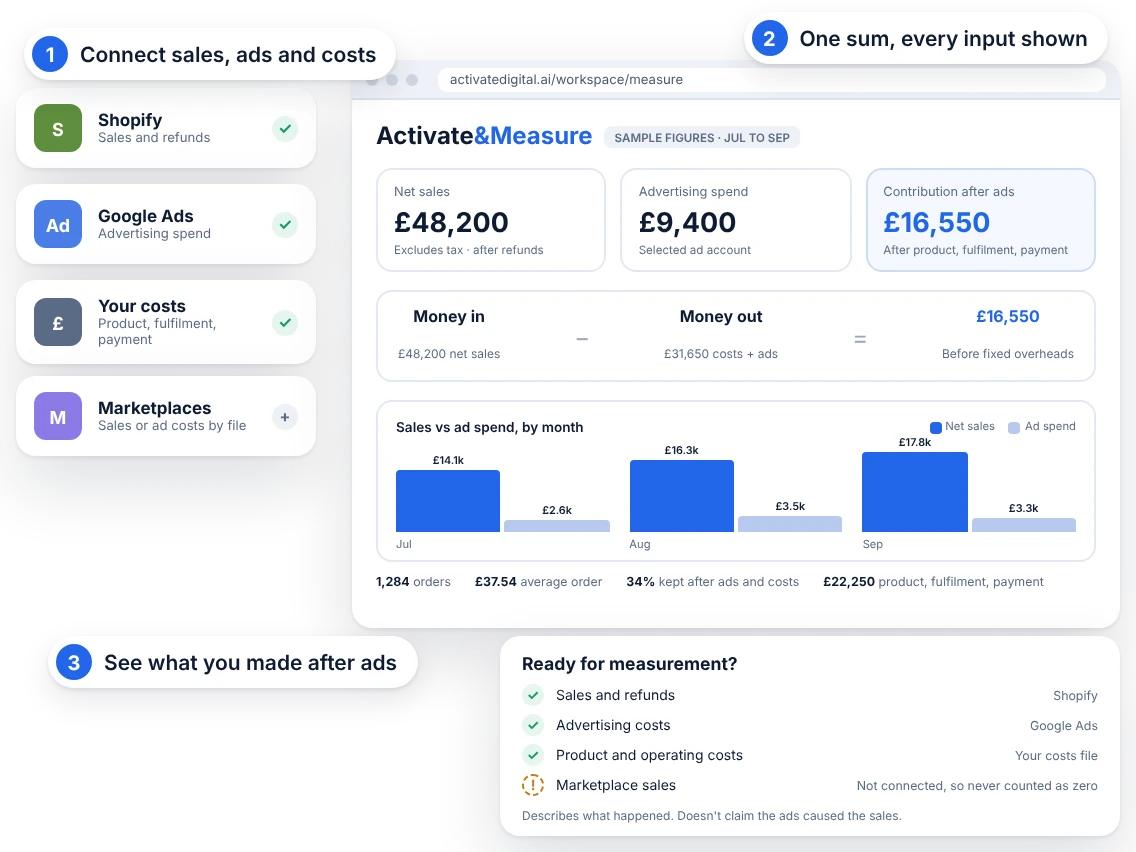
Activate&Measure brings your Shopify sales, your ad costs and your own product costs into one sum and shows what's left. It describes what happened. It doesn't claim your ads caused the sales. How we think about measurement
In beta. Try it first with sample data.
Shopify and Google Ads
sales and refunds from one store, ad costs from one account or a file.
Missing is never zero
leave a cost blank and the result says it can't be worked out.
Every run can be checked
each saved run keeps its formula and inputs, and can be worked again.
No GTIN yet? GS1 UK issues GTINs in the UK, with the barcodes that carry them. Your own GTINs are recognised by retailers and marketplaces worldwide, and they're what the GS1 Digital Link on a passport is built from.
Three reports, three different stories
Your shop says one thing, your ad account another and your spreadsheet a third. Ad platforms report their own conversions, which aren't the same as sales. And almost nobody has a clean sum that includes product cost, shipping and fees.
Activate&Measure does the sum, shows its working and keeps the result so you can check it later.
What's live today, in beta
Test data from a connected store, live data and sample data are never combined.
- ShopifySales and refundsConnect one store. It reads order money and product ids only. No customer names, emails or addresses are read. You choose when to read, and the first read covers the last 60 days.
- Google AdsAd costs, early accessPick one client account. It reads daily campaign cost, clicks, impressions and the conversions Google reports, when you ask. It can't change your campaigns, and Google's conversions are never added to your sales. Google's review is still pending, so access is early access by invitation.
- FilesSales and ad costs by CSVUpload a sales file or an ad costs file for marketplaces or other ad platforms. You see accepted and rejected rows before anything is imported, and you can undo an import.
- Your costsProduct cost, fulfilment and feesEnter them for the period. Leave one blank and it's treated as missing, not zero.
The sum, in plain words
Contribution after ads is net sales excluding tax, minus product cost, fulfilment, payment fees and ad spend. It's before fixed overheads, so it isn't profit.
This describes financial performance. It doesn't claim advertising caused the sales.
Saved runs you can check
Every run keeps the exact formula, the inputs and a fingerprint. Press "Check it reproduces" and the sum is worked again. Download the results as CSV or print them to PDF.
- Overviewnet sales, ad spend and contribution after ads, with a checklist of what's still missing.
- Inputsconnect sources, upload files and enter costs.
- Modelthe formula and what each term means. Download the exact file.
- Resultsthe summary, the evidence for the run and your earlier runs.
Incremental ROI and ROAS, and the clean room
The sums above describe what happened. These two go further, and we label each one with its true state.
- In betaGoogle Meridian, for incremental ROI and ROASMeridian is Google's open-source marketing mix model. It estimates how much of your revenue your advertising added, which a plain sum can't. Until a model has been run on your data, the app says "not estimated".
- In betaClean roomA private space where your sales, ad and product data are joined, and only aggregated results leave it.
What this isn't
The sums on this page describe what happened. They don't prove that ads caused a sale. Only the Meridian model, once it has run on your data, estimates that. The result isn't profit, because fixed overheads aren't included, and it works at store and period level.
Start with sample data
Try the sample first. It's an invented clothing store and it's labelled so everywhere.
- Step oneConnect ShopifyOr upload a sales file.
- Step twoAdd your ad costsFrom Google Ads (early access) or a file.
- Step threeEnter costs and calculateSee contribution after ads for the period.
Try it with sample data
Activate&Measure is in beta. Open it, use the sample data to see how the sum works, then connect your own store.
Open Activate&Measure